
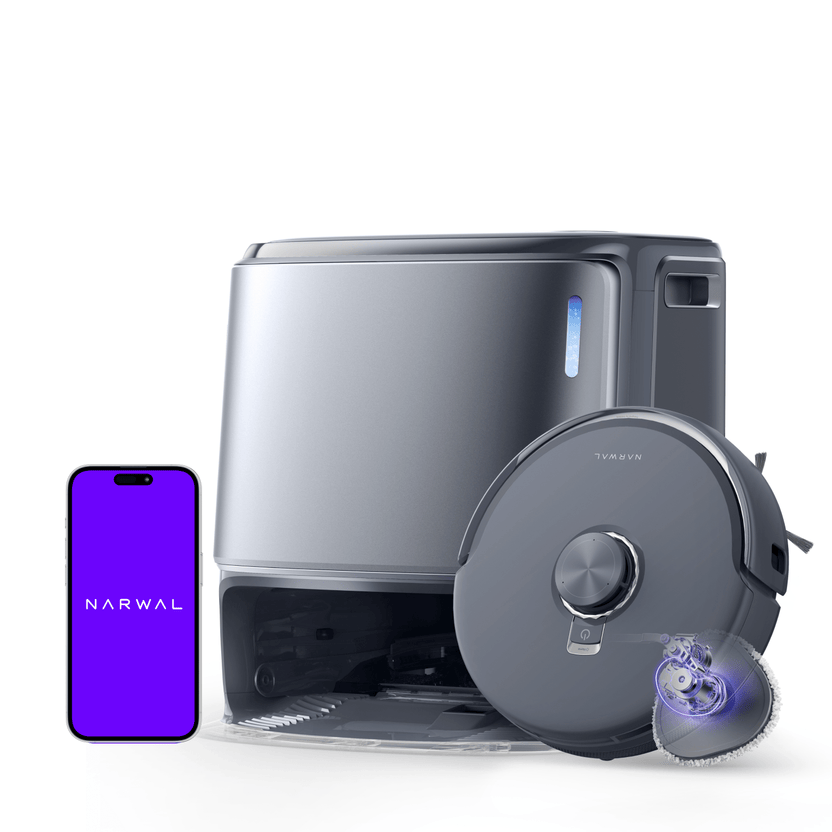
Verifiable specifications
Product information supported by official records
| Manual-stated obstacle limit | Maximum obstacle crossing height: 20 mm. The manual says the robot cannot enter rooms with thresholds over 20 mm; a Narwal Threshold Ramp is an optional aid, with no higher limit stated here. | View source |
|---|---|---|
| Base-station front clearance | Leave at least 0.45 m / 1.5 ft clear in front of the base station, and do not place it near a heat source. | View source |
| Manufacturer-stated suction | 18,000 Pa (manufacturer-stated) | View source |
| Mopping system | EdgeReach triangular mop extension; manufacturer-stated 8 N downward pressure. | View source |
| Navigation and avoidance sensors | Radar sensors, a binocular vision obstacle-avoidance sensor and a laser edge sensor, as labelled in the manual. | View source |
| Cleaning modes | Vacuum; Mop; Vacuum and Mop; Vacuum then Mop. Cleaning cycles, suction and mop humidity can be adjusted in the app. | View source |
| Original-sales-region restriction | The manual restricts normal use and after-sales support to the original country or region of sale. Shipping elsewhere may prevent Narwal app binding or relevant operations. | View source |
| Verified technical model identifier | manufacturer_model_code: YJCC025 | View source |
A doorway and dock-space check
The manual says the robot cannot enter rooms with thresholds over 20 mm. It names a Narwal Threshold Ramp as an optional aid but gives no higher crossing limit for that setup. Keep the dock away from heat sources as well as leaving its front approach clear.
Narwal Freo Z10 Ultra has the following documented base-station front clearance: Leave at least 0.45 m / 1.5 ft clear in front of the base station, and do not place it near a heat source. Use the stated dimensions for the exact robot or station configuration. Preserve distinctions such as a raised sensor, retracted sensor or installed base when they are documented. A body outline does not include a guarantee that the robot can enter every opening or that the station fits with maintenance access; compare the relevant physical clearance separately.
Narwal Freo Z10 Ultra has the following documented manual-stated obstacle limit: Maximum obstacle crossing height: 20 mm. The manual says the robot cannot enter rooms with thresholds over 20 mm; a Narwal Threshold Ramp is an optional aid, with no higher limit stated here. The same configuration lists base-station front clearance as Leave at least 0.45 m / 1.5 ft clear in front of the base station, and do not place it near a heat source. Compare the documented crossing or low-space conditions with the actual shape of the route, retaining distinctions such as a single step, layered threshold or raised and retracted sensor. A maximum is not permission to remove those conditions. Measure the relevant opening or obstacle before treating the feature as a fit decision; this guide does not claim an independent pass-through test in your home.
Choose the cleaning sequence before starting
The app offers Vacuum, Mop, Vacuum and Mop, and Vacuum then Mop, with adjustable cleaning cycles, suction and mop humidity. For a large area or repeated mopping, set the return-to-wash frequency before cleaning; it cannot be changed during the current task.
After the last mopping run, the robot returns to wash and dry the mops and dry the canister. Drying time is adjustable in the app.
For Narwal Freo Z10 Ultra, Cleaning modes: Vacuum; Mop; Vacuum and Mop; Vacuum then Mop. Cleaning cycles, suction and mop humidity can be adjusted in the app. When mop-wash frequency can be changed: For a large area or multiple mopping runs, the robot returns to wash its mops. Mopping runs and return frequency can be changed in the app before cleaning, not during the current task. The manual restricts normal use and after-sales support to the original country or region of sale. Shipping elsewhere may prevent Narwal app binding or relevant operations. Treat the documented feature description as the manufacturer’s account of this configuration, keeping every stated mode, component and qualification together. It is useful for identifying what to check next; it is not an independent review score or a guarantee that a different bundle provides the same functions. Choose the feature relevant to your actual task and check its conditions before comparing a headline with another model.
Narwal Freo Z10 Ultra has the following documented dock washing and drying: After the last mopping run, the robot returns for mop washing, mop drying and canister drying; drying time is adjustable in the app. The same configuration lists mopping system as EdgeReach triangular mop extension; manufacturer-stated 8 N downward pressure. Identify what the dock automates and what the cited temperature, capacity or interval actually measures. Washing water, drying air, an internal heater and temperature at the mop or floor are different locations. Likewise, a dust-collection estimate is not a maintenance-free period for the whole system. Keep the measurement point and use conditions attached to the feature when comparing station packages.
Narwal US · us.narwal.comNarwal Support · support.narwal.com
Check the exact model and sales region
The manual identifies the robot as YJCC025. Narwal lists 18,000 Pa suction, MopExtend and EdgeSwing, while the manual labels radar, binocular-vision and laser-edge sensors. These describe this model, not an independent comparison with Flow or another Freo variant.
The manual limits normal use and after-sales support to the country or region of original sale. Shipping the robot elsewhere may prevent app binding or relevant operations.
Narwal Freo Z10 Ultra has the following documented edge cleaning: MopExtend and EdgeSwing. Separate the stated brush or mop reach from the dimensions of the robot body. An extending cleaning component answers where that component can reach; it does not prove that the whole machine can enter the same gap. For furniture and wall-edge decisions, retain any activation or test condition and check physical clearance separately instead of converting a reach claim into a body-height guarantee.
Narwal Freo Z10 Ultra has the following documented navigation and avoidance sensors: Radar sensors, a binocular vision obstacle-avoidance sensor and a laser edge sensor, as labelled in the manual. Read mapping and obstacle recognition as distinct functions within the documented navigation system. A map describes the cleaning layout; an avoidance feature describes how the device responds to obstacles under its stated conditions. A mapping claim alone does not establish obstacle recognition, and neither claim guarantees coverage or recognition of every object. Use the model’s actual control and boundary instructions when preparing a room.
Narwal Freo Z10 Ultra has the following documented verified technical model identifier: manufacturer_model_code: YJCC025. Use each identifier under the label the manufacturer gives it. A sales SKU, technical model code and storefront record key do not necessarily identify the same level of configuration. Match the documented record to the unit or package you are checking, then verify accessories and regional support separately; a similar name or matching brand alone is not proof of interchangeability.
Narwal Freo Z10 Ultra has the following documented manufacturer-stated suction: 18,000 Pa (manufacturer-stated). The same configuration lists mopping system as EdgeReach triangular mop extension; manufacturer-stated 8 N downward pressure. Use the suction entry with the manufacturer’s measurement conditions and cleaning configuration. A pressure maximum is not an independent measurement of debris pickup in your rooms. For a practical comparison, keep the documented brush, carpet and mopping behavior in view as well; the headline alone cannot rank two products or guarantee an outcome on every surface.
Narwal US · us.narwal.comNarwal Support · support.narwal.com
Ownership and maintenance
For Narwal Freo Z10 Ultra, Where to check accessory maintenance: In the app, open Settings → Manage Accessories to see each accessory’s usage time, maintenance cycle and replacement method. Build the care routine from this model’s documented tasks and stop conditions, keeping any interval tied to the part it concerns. Automatic operation does not authorize skipping checks or using an unlisted service method. If the source names abnormal wear, damage, obstruction or electrical precautions, retain those boundaries and use official support when the situation falls outside the documented procedure.
Network and app setup
For Narwal Freo Z10 Ultra, App connection: Use the Narwal Freo app and follow its instructions to connect and bind the robot. Where to find official app help: In the app, open Settings → Help Center for App Features, Product Manual, FAQ and Troubleshooting. Plan the connection around the documented interface and network requirement. A phone or router offering other bands does not establish that this device supports them, and a successful local connection does not prove that every cloud or remote feature is available. Keep region, app and firmware requirements attached to the exact configuration when preparing setup.
Mopping behavior
For Narwal Freo Z10 Ultra, Mopping system: EdgeReach triangular mop extension; manufacturer-stated 8 N downward pressure. Keep the mopping mechanism, its settings and any lift condition together when deciding how it fits your floors. Mop speed or a lift measurement describes a specified function, not a universal cleaning or carpet-protection result. Check the documented mode and surface boundary before building a routine around the feature; do not assume that a neighboring product’s settings apply to this model.
Exact product identity
Product identifiers in official records
GTINs, UPCs, manufacturer SKUs and model codes can identify different colors, configurations or bundles. Only identifiers stated in official records are shown; an unpublished ASIN is not inferred.
| Identifier | Exact value | Variant or bundle | Market | Source and review |
|---|---|---|---|---|
| Manufacturer product name | Narwal Freo Z10 Ultra Robot Vacuum and Mop | Model level | United States | Narwal US · us.narwal.comExact H2 below NEW RELEASE, Freo Z10 Ultra hero; not the adjacent Freo Z Ultra comparison column. · |
| Manufacturer model code | YJCC025 | Model level | United States | Narwal US · support.narwal.comPDF page 1, multilingual cover, exact technical Model row; official support attachment is registered for Freo Z10 Ultra. · |
FAQ
Narwal Freo Z10 Ultra frequently asked questions
Each answer stays within the facts and sources shown on this page.
01Which app does the manual tell me to use?
Use the Narwal Freo app and follow its connection and binding instructions. This does not remove the original-sales-region restriction.
02Where do I find the replacement cycle for a consumable?
Open Settings → Manage Accessories in the app to view usage time, maintenance cycles and replacement methods. The manual does not give one fixed interval for every accessory.
03Where are the model’s troubleshooting instructions?
Open Settings → Help Center in the app for App Features, Product Manual, FAQ and Troubleshooting. Follow that model-specific guidance rather than another Freo model’s error instructions.